
Choosing the right Big Led Screen is not simply a matter of selecting the largest display. It is a business decision involving visibility, budget, installation conditions, and long-term maintenance. A screen outside a shopping center faces direct sunlight, wind, dust, and changing weather. An indoor conference display faces different demands, including close viewing distances, quieter operation, and accurate color reproduction.
Start with the audience and viewing environment. Pixel pitch should match the distance between viewers and the screen. A fine-pitch display can produce sharper images nearby, but it usually costs more. Brightness must suit the location without creating uncomfortable glare. Refresh rate also matters when cameras will record presentations, concerts, or live events. Flickering footage can make a professional venue look poorly prepared.
Small details often decide the result.
Power consumption, cabinet access, ventilation, control software, and spare modules deserve careful attention. In real installations, difficult maintenance access can create higher costs than expected. Weather protection should be verified through documented ratings, not vague sales promises. A dependable supplier should provide technical specifications, installation guidance, warranty terms, and responsive service.
There is no perfect Big Led Screen for every company. A powerful display may still fail if content is weak or viewing distances are misunderstood. I have seen businesses focus heavily on screen size while overlooking structural support and daily operating costs. That mistake is easy to repeat. A practical evaluation should compare total ownership costs, expected audience behavior, content requirements, and future expansion plans. This guide explains those factors clearly, helping decision-makers choose a display that performs reliably instead of merely looking impressive on launch day.
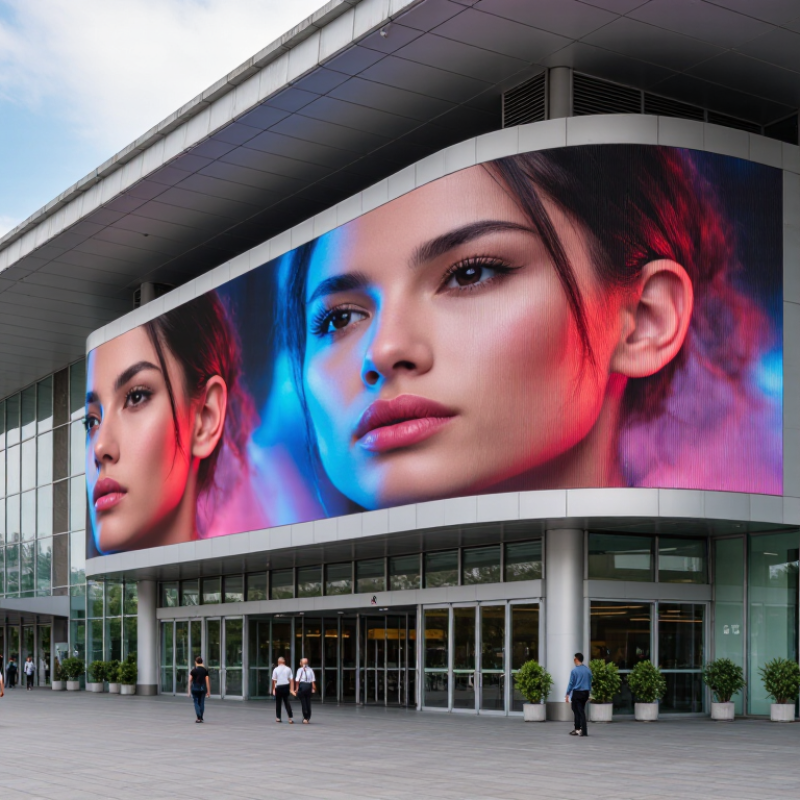
Before choosing a big LED screen, define the business result you want.
More visitors? Faster sales? Better event engagement? A screen is not automatically a strategy.
Grand View Research valued the global digital signage market at about USD 27.1 billion in 2023, with continued growth expected through 2030.
This growth reflects demand, not guaranteed returns. Write one measurable goal, such as increasing store visits by 10% or reducing repeated service questions. Then match the screen to that goal.
Use cases shape the technical decision.
A roadside display needs high brightness, strong weather protection, and readable content from a distance.
A retail screen may need fine pixel density, accurate colors, and quiet operation.
For conferences, refresh rate and camera-friendly performance matter.
A hospitality venue may prioritize flexible content scheduling and simple remote control.
Think about the viewer’s actual position. A close audience can notice poor pixel spacing quickly. A distant audience needs larger text and stronger contrast.
The International Data Corporation reported continued growth in digital transformation spending, but spending alone does not prove effectiveness. Test a small content loop before committing to a large installation.
Keep the message simple.
Short messages work better.
I have seen teams overvalue screen size and undervalue maintenance access. That is an expensive mistake.
Power use, replacement modules, content updates, and technician response times belong in the first budget, not the footnotes. Your first use case may also be wrong. Leave room to revise it.

Choosing the right big LED screen starts with viewing distance, not screen size alone. A storefront display viewed from 15 meters can use a larger pixel pitch than an indoor lobby screen viewed from three meters. Pixel pitch measures the distance between LED pixels. Smaller pitch creates sharper images, especially for close viewers, fine text, and detailed product visuals.
Screen dimensions should match the viewing area and installation structure. A narrow entrance may need a tall, compact display, while a roadside location benefits from a wider format. Resolution depends on both pixel pitch and physical dimensions. More pixels improve clarity, but they also increase processing, power, and maintenance demands. I once focused too heavily on maximum resolution and underestimated how difficult content scaling could become.
Tips: Measure the nearest and farthest viewing points before requesting quotations. Display real content, not only colorful test images. Check small text, skin tones, shadows, and fast movement. Ask for brightness readings at the intended installation site. Indoor screens often need controlled brightness, while outdoor screens require stronger brightness and weather protection. Avoid choosing the smallest pixel pitch automatically. It may add cost without visible improvement from your audience’s normal distance.
A site survey should also examine sunlight, viewing angles, mounting access, and ventilation. Reliability depends on more than the LED modules. Power supplies, control systems, and service access matter during daily operation. Leave room for adjustment. Real locations are rarely perfect, and initial estimates can be wrong.
Choosing a large LED screen begins with the site, not the cabinet size. A bright screen can look impressive indoors, yet appear harsh in a shaded lobby. Measure ambient light at different hours, especially near windows. For outdoor use, direct sunlight may require 5,000 to 7,000 nits, while many indoor spaces need far less. These figures are practical starting points, not universal rules. Screen settings, glass reflections, and content colors can change the result. Test a sample panel if possible. It reveals problems that a specification sheet may hide.
Viewing distance determines pixel pitch and image clarity. From three meters away, a fine pitch can keep text and faces sharp. At fifteen meters, a wider pitch may deliver a similar visual experience at lower cost. Do not judge distance from the mounting wall alone. Include the nearest standing point and the usual audience path. Walk the space with test content. Small text often exposes weak planning faster than video does. I once favored a tighter pitch for a reception area, but the extra detail was barely noticed. The budget would have served brightness control better.
Installation conditions affect reliability as much as display quality. Check ventilation, moisture, dust, structural loading, service access, and cable routes before ordering. Outdoor installations need weather protection and drainage, not just a sealed enclosure. Indoor screens still need airflow. A poorly planned service gap can turn a simple module replacement into a disruptive repair. Consider viewing angles and nearby lighting, too. Calibration should be checked after installation, because reflected light can alter perceived color. Leave room for adjustment. That part is easy to underestimate.
How to Choose the Right Big LED Screen for Your Business?
A large LED screen should survive more than daily operation. It may face dust, rain, heat, vibration, and repeated transport. Check its protection rating, cabinet sealing, heat dissipation, and module replacement process. Weather matters. A screen with weak thermal control can lose brightness faster, even when its pixels look impressive on day one. Ask for test records, service procedures, and realistic operating limits. Marketing claims alone are not enough.
Energy use affects both monthly bills and installation design. Compare average power consumption, not only maximum wattage. Automatic brightness sensors can reduce output during cloudy mornings or quiet indoor periods. Power fluctuates. Stable power supplies and proper ventilation also support longer component life. A control system should allow scheduled content, remote monitoring, fault alerts, and user permissions. Simple software usually helps staff respond faster. However, overly complex systems may create training costs that are easy to overlook.
Total cost includes the screen, structure, cabling, installation, permits, electricity, maintenance, spare modules, and eventual replacement. A cheaper panel can become expensive after frequent service visits. Request a five-year cost estimate with labor included. I would also inspect a working installation before signing. Photos hide uneven brightness and difficult access points. One judgment can still be wrong: local sunlight, viewing distance, and content style may change the ideal specification. Leave room for a technical review after the site survey.
Choosing a large LED screen starts with the supplier, not the display cabinet. Ask for verified project references, clear technical drawings, and written warranty terms. A dependable supplier should explain pixel pitch, brightness, viewing distance, power demand, and weather protection in practical language. Request sample images and inspect a working installation if possible. Sales promises are not enough.
Tips: Confirm the supplier’s installation team, electrical qualifications, spare-parts policy, and response time. Require a site survey before signing. The survey should check wall strength, wind exposure, cable routes, drainage, viewing angles, and maintenance access. Do not forget the control room. A screen can be excellent, yet fail because its software is poorly managed.
Build maintenance into the original plan. Schedule cleaning, brightness checks, ventilation inspections, and module testing. Keep replacement modules, receiving cards, power supplies, and cables in labeled storage. Ask who handles emergency repairs and what downtime is acceptable. One common mistake is choosing a low initial price without calculating access equipment or future service costs. I would also leave extra space behind the screen. Tight installations look neat, but they make repairs frustrating. Plans can change. Allow for that.
| Decision Area | Key Factor | What to Evaluate | Practical Benchmark or Planning Data |
|---|---|---|---|
| Business Objective | Primary use | Define whether the screen will be used for advertising, live events, retail messaging, presentations, public information, or a combination of uses. | Start with the use case Content type, viewing distance, operating hours, and audience size should determine the specification. |
| Location | Indoor or outdoor environment | Confirm exposure to sunlight, rain, dust, wind, temperature changes, humidity, and possible physical impact before selecting the cabinet and protection level. | Outdoor planning Use weather-resistant construction and verify the required IP rating with the supplier. Indoor screens generally require less environmental protection. |
| Image Quality | Pixel pitch | Pixel pitch is the distance between the centers of adjacent LED pixels. A smaller pitch normally provides finer detail at close viewing distances, while a larger pitch can be suitable for distant viewers. | Typical selection logic Close viewing: approximately 1.2–2.5 mm; medium distance: approximately 2.5–4 mm; long-distance outdoor viewing: approximately 4–10 mm or more. |
| Viewing Experience | Viewing distance and angle | Measure the nearest and farthest audience positions. Check horizontal and vertical viewing angles if people will watch from the side or from different floor levels. | Useful estimate A commonly used starting estimate for minimum viewing distance is about 1 metre per millimetre of pixel pitch, followed by an on-site visual assessment. |
| Brightness | Ambient light conditions | The screen must remain readable without creating excessive glare. Brightness control should support automatic or scheduled adjustment for changing daylight conditions. | Typical ranges Indoor applications often use roughly 500–1,500 nits; outdoor applications commonly require about 4,000–8,000 nits, depending on direct sunlight and local conditions. |
| Content Performance | Refresh rate and grayscale | Choose a refresh rate suitable for the content. Higher refresh rates help reduce scan lines and flicker in camera footage, while adequate grayscale supports smooth transitions and natural-looking images. | Content-dependent For ordinary signage, standard professional specifications may be sufficient; for broadcast, stage, and camera-facing use, request a high-refresh-rate configuration and test it on camera. |
| Screen Structure | Cabinet size and weight | Confirm module and cabinet dimensions, total screen weight, front or rear service access, mounting method, and the structural capacity of the wall, frame, roof, or ground support. | Engineering requirement Obtain a structural review for permanent or elevated installations. Do not rely only on the screen's display-area dimensions. |
| Power Planning | Power consumption and distribution | Request both average and maximum power figures. Plan circuits, cable routes, protection devices, grounding, ventilation, and access to disconnect equipment. | Allow operating margin Use the supplier's measured consumption data and reserve capacity for startup load, peak brightness, control equipment, and future expansion. |
| Reliability | Operating schedule and thermal management | Match the product to the planned daily operating hours. Evaluate fans, heat dissipation, cabinet ventilation, temperature limits, and protection against moisture and condensation. | Long-term operation Ask for documented operating-temperature limits, environmental tests, and a thermal management plan rather than relying on a generic service-life statement. |
| Supplier Selection | Technical capability | Select a supplier that can provide a site survey, optical simulation, structural coordination, electrical drawings, control-system setup, commissioning, and operator training. | Evidence to request Review relevant project references, test reports, installation procedures, spare-parts availability, and the qualifications of the installation team. |
| Supplier Selection | Warranty and service terms | Read the warranty exclusions and service response terms carefully. Confirm coverage for modules, power supplies, receiving cards, control equipment, labor, and transportation. | Contract clarity Document warranty duration, response time, replacement procedure, remote support, on-site support, and the responsibilities of both parties. |
| Installation | Permits and site survey | Check local requirements for planning permission, façade changes, electrical work, wind loading, road visibility, public safety, and advertising structures before ordering equipment. | Complete before fabrication Verify dimensions, mounting points, access routes, lifting equipment, cable paths, power location, network connectivity, and emergency access during the survey. |
| Installation | Commissioning and acceptance | Test brightness uniformity, color consistency, dead pixels, refresh performance, content playback, network control, power protection, weather sealing, and emergency shutdown procedures. | Acceptance checklist Record test results, photographs, configuration files, as-built drawings, user accounts, and training completion before final handover. |
| Maintenance | Preventive maintenance | Schedule inspections for modules, connectors, power supplies, fans, filters, cabinet seals, cables, grounding, support structures, and control-system logs. | Recommended practice Perform routine visual checks regularly, clean according to the supplier's instructions, and arrange professional inspections at least annually or more often in harsh environments. |
| Maintenance | Spare parts and repair access | Confirm whether modules and key components can be replaced from the front or rear. Keep compatible spare parts and record module locations and configuration data. | Reduce downtime Maintain a practical spare-parts plan based on screen size, operating hours, environmental exposure, and the supplier's recommended replacement items. |
| Total Cost | Lifecycle budget | Compare more than the purchase price. Include structural work, permits, electrical upgrades, installation, transportation, control software, energy, cleaning, repairs, spare parts, and future replacement. | Compare total cost of ownership Request an itemized quotation with equipment, labor, taxes, logistics, commissioning, warranty, training, and recurring maintenance listed separately. |
Precision Cable Assemblies
16830 Pheasant Drive
Brookfield, WI 53005
Phone: 262-784-7887
Fax: 262-784-0681