
Choosing a Wifi Carbon Monoxide Detector is not just a matter of picking the device with the nicest app. Carbon monoxide has no color or smell, so an alarm must detect danger reliably and alert people clearly. A Wi-Fi connection can send notifications to your phone, but it cannot replace a loud local alarm, correct installation, or regular testing. No signal? The alarm should still do its job.
NFPA vice president Lorraine Carli has emphasized a practical point: homes need working carbon monoxide alarms that are installed and maintained correctly. That advice matters when comparing connected models. Check that the detector meets a recognized safety standard in your region, and confirm its sensor type, service life, power source, and end-of-life warning. Look for clear instructions about placement and testing. If the unit uses batteries, check whether it has a backup power option during an outage.
Then consider the app. Does it identify which detector triggered? Can household members receive alerts? Are notifications dependent on a paid plan? These details can make a real difference when you are away from home. Still, a phone alert can feel reassuring—perhaps too reassuring. Internet access, router settings, and phone permissions can all affect remote notifications.
This guide explains how to weigh those features without confusing convenience with protection. The best choice is the one that suits your home, provides clear alerts, and remains dependable when Wi-Fi does not. There is no perfect device; careful installation and ongoing checks matter just as much.
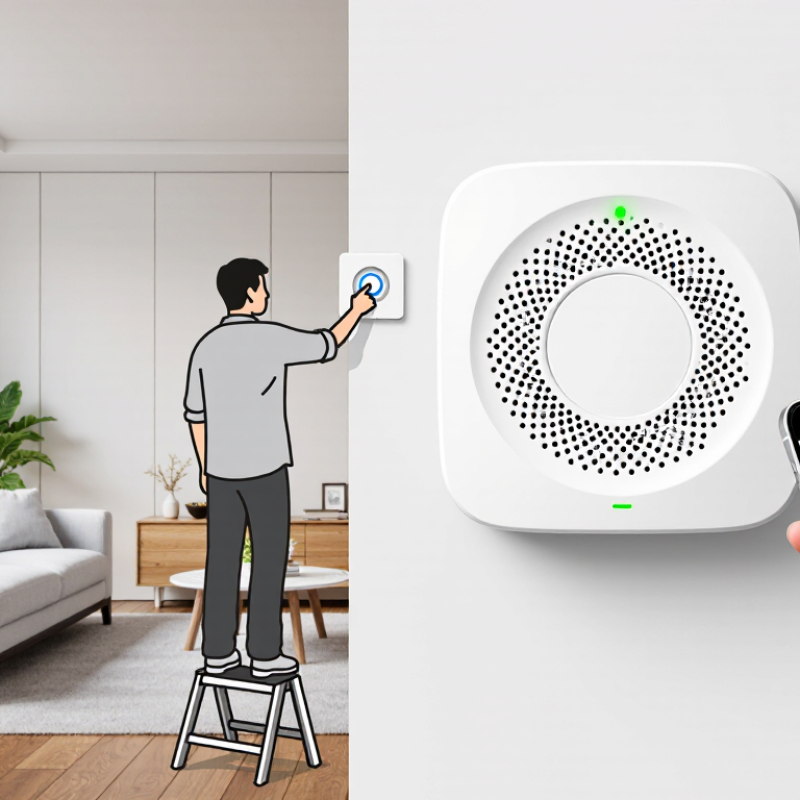
How to Choose a WiFi Carbon Monoxide Detector?
Understand How WiFi Carbon Monoxide Detectors Work
A WiFi carbon monoxide (CO) detector combines a CO sensor, a local alarm, and a wireless connection. Most household models use an electrochemical sensor to detect CO in the surrounding air. When readings reach the alarm threshold, the unit sounds; its WiFi connection can also send an alert to a phone. WiFi carries the message. It does not detect CO. The CDC estimates that unintentional CO poisoning causes over 400 deaths and more than 100,000 emergency department visits in the United States each year (CDC, Carbon Monoxide Poisoning Data).
The app may also show battery, fault, or connection warnings, depending on the model. Alerts can be delayed or missed if the router loses power, the internet drops, or phone notifications are disabled. A connected alarm is not automatically a more accurate alarm. Check the sensor type, expected service life, backup power, and whether the local siren works without WiFi. I still find setup easy to overlook.
Tips: Test the alarm using its test button, follow the maker’s placement instructions, and replace the unit when its service life ends. Keep phone alerts enabled, but never rely on them instead of the detector’s audible alarm.

Choosing a WiFi carbon monoxide detector means matching its alerts to your home and routine. Decide who needs notifications: one person, several household members, or a caregiver. Check whether the app can send separate alerts for detected carbon monoxide, low batteries, sensor faults, and a sensor nearing the end of its service life. Those messages mean different things. Look for clear wording that tells you what needs attention, rather than a vague notification. A recognized safety certification and instructions for correct placement matter more than extra app features.
Consider what happens when WiFi or power fails. The detector should still sound locally, and its backup power should be easy to check. The siren still matters. Think about whether your phone receives alerts reliably in the rooms where you spend time, and whether other household members can understand them. App notifications can arrive late or be missed, so they should support—not replace—the audible alarm and your home’s emergency plan. It is easy to overvalue a polished app; dependable basics deserve more attention.
Tips: Test the alarm using its test button as directed. Review app permissions and notification settings after setup. Follow the manufacturer’s placement and replacement guidance; I would not assume one mounting spot suits every home.
A WiFi carbon monoxide detector should be judged by its sensor and its everyday reliability, not just its app. Electrochemical sensors are common in household alarms and are designed to detect carbon monoxide accurately. Check the device’s independent safety certification, sensor life, and replacement schedule. A test button checks alarm function; it does not test the sensor with carbon monoxide. Follow the placement instructions, and keep a working audible alarm in the home. That matters.
Connectivity deserves equal attention. Confirm the detector works with your WiFi band and router setup, then check what happens when the internet drops. The local alarm should still sound, and backup power can help during an outage. Look for clear phone alerts that identify the room and distinguish an alarm from a low-battery warning. Smart home compatibility means more than appearing in an app: verify that your preferred system can receive alerts or trigger useful actions. Avoid automations that might silence an alarm. I would not treat a green connection icon as proof that the detector itself is healthy. Test it regularly, review app permissions, and replace the unit when its service life ends. I admit, connectivity can feel reassuring, but it cannot replace a loud alarm you can hear.
Compare the sensor, connectivity, and smart-home compatibility—while keeping certified CO alarm performance as the priority.
Reading the chart: The bars show UL 2034 alarm response-time limits: at 70 ppm, 60–240 minutes; at 150 ppm, 10–50 minutes; and at 400 ppm, 4–15 minutes. These are standard limits, not a comparison of individual products or sensor accuracy. When shopping, check the detector’s applicable safety certification, sensor type, backup power, WiFi requirements, and explicit compatibility with your smart-home system. Remote alerts may depend on an internet connection; keep the local audible alarm as an essential safety feature.
A WiFi carbon monoxide detector should meet recognized safety standards, not just advertise smart features. Check the product label and documentation for certification by a reputable, independent testing organization. Requirements differ by country, so confirm the standard applies where you live. A phone app alone is not proof of safety. That matters.
Next, check how the detector is powered. Battery models are easier to place, but batteries need timely replacement; a low-battery alert can be easy to miss. Plug-in or hardwired units may reduce routine battery changes, though they can still need backup power during an outage. WiFi is not enough. Ask whether the alarm still sounds locally if the router or internet connection fails, and whether alerts resume after power returns.
Installation details affect whether the detector can warn you in time. Follow the manufacturer’s instructions and local guidance for placement, distance from fuel-burning appliances, and coverage on each floor and near sleeping areas. Avoid assuming every room needs the same setup; layouts differ. Check whether the unit needs a particular outlet, mounting height, or WiFi band before buying. Test it after installation, keep vents clear, and note its replacement date. It is easy to overlook that last detail.
When choosing a WiFi carbon monoxide detector, compare more than its shelf price. Add replacement batteries, any app subscription, and the cost of replacing the whole unit at end of life. A WiFi alert depends on a working router and internet connection, so choose a model with a loud local alarm that still sounds offline. Small details matter. The CDC says more than 400 Americans die from unintentional CO poisoning each year, and over 100,000 visit emergency rooms. That risk makes dependable alerts worth weighing against small savings.
Check the stated sensor life and replacement instructions before buying; service life varies by model. NFPA guidance recommends testing CO alarms monthly and following the manufacturer’s replacement schedule. Put a recurring reminder on your calendar, then test the alarm using its test button. After changing routers or app settings, confirm that alerts still reach your phone. I would not assume a push notification proves the sensor works; it only shows that messages can get through. Include backup batteries and any ongoing connectivity fees in a five- or ten-year cost estimate. The math can be imperfect, especially when replacement timing is unclear, so read the end-of-life label before checkout.
| Evaluation factor | Typical information | What to check before buying |
|---|---|---|
| Upfront price | WiFi-enabled CO alarms commonly cost more than basic standalone alarms. As a broad U.S. retail estimate, connected units may fall around $30–$100; actual prices vary by features and retailer. | Compare the total package: power source, display, backup battery, app features, and whether a separate hub is required. |
| Ongoing service costs | Basic WiFi alerts often work without a monthly fee, but optional monitoring or premium app services may have charges. | Confirm whether remote notifications, alert history, and household sharing are included or require a subscription. |
| Battery and power | Power options vary: replaceable batteries, sealed batteries, plug-in power, or hardwiring. Backup power can help maintain local alarm operation during an outage. | Check battery type and expected replacement interval. For plug-in or hardwired models, verify what happens during a power failure. |
| Routine testing | Follow the manufacturer’s instructions; many alarm makers recommend testing the unit regularly, often monthly, using its test button. | Check that the test button and app provide clear status information. A button test does not replace the required sensor-life and replacement guidance. |
| Sensor service life | CO alarm service life varies by model. Many units have a stated life of roughly 5–10 years, after which the complete alarm must be replaced. | Look for a clearly stated replacement date or end-of-life signal. Do not assume WiFi connectivity extends sensor life. |
| WiFi and remote alerts | Remote notifications depend on the detector’s power, network connection, router, internet service, and app support. An internet outage can interrupt remote alerts. | Check supported WiFi bands and setup requirements. Choose a unit with a loud local alarm; remote alerts should be an additional feature, not a substitute. |
| Certification and reliability | Requirements differ by country. In the United States, look for applicable CO alarm certification such as UL 2034; in Europe, check for the relevant EN 50291 standard. | Verify certification on the product or its documentation, and follow the installation and placement instructions for your location. |
| Long-term ownership | Total cost includes the purchase price, any subscription, replacement batteries, and replacing the unit at its stated end of life. | Keep the alarm’s replacement date accessible, maintain the required number of alarms, and remember that a CO alarm does not detect smoke or natural gas unless specifically designed and certified to do so. |
Cost figures are approximate U.S. retail estimates, not fixed prices. Always follow local regulations and the detector manufacturer’s instructions.
Precision Cable Assemblies
16830 Pheasant Drive
Brookfield, WI 53005
Phone: 262-784-7887
Fax: 262-784-0681